Quick answer
How do you set up Google Ads conversion tracking for a small business?
Google Ads conversion tracking for small business means recording the actions that matter, such as calls, form submits, WhatsApp clicks and purchases. Decide which actions count, create a conversion action in Google Ads, add the Google tag or a Google Tag Manager tag to your website, test it with a real enquiry and then check the numbers every week.
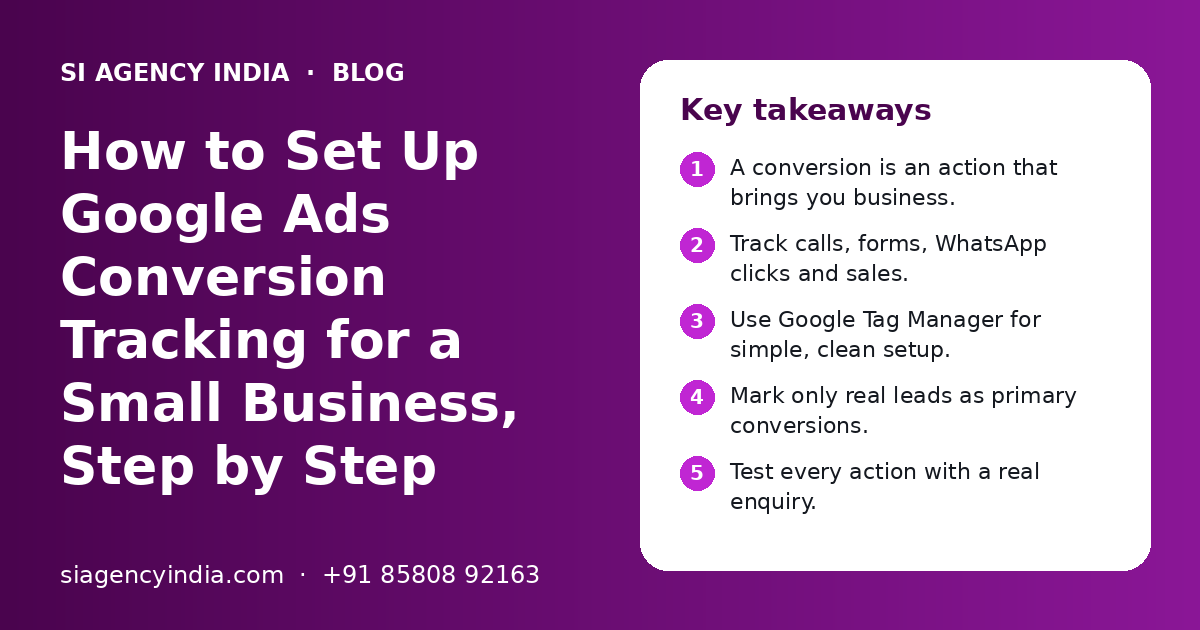
Key takeaways
- A conversion is an action that brings you business.
- Track calls, forms, WhatsApp clicks and sales.
- Use Google Tag Manager for simple, clean setup.
- Mark only real leads as primary conversions.
- Test every action with a real enquiry.
- Check the numbers against your leads weekly.
What is Google Ads conversion tracking for a small business?
Google Ads conversion tracking for a small business is a way to record what people do after they click your ad. It tells you which ads, keywords and campaigns bring real calls, enquiries and sales, not just clicks.
Without tracking, Google Ads shows only clicks and cost. A keyword with many cheap clicks may bring no leads at all.
Automated bidding also learns from your conversion data. If that data is wrong, it spends your budget badly.
This is why we set up tracking before we start any campaign in our Google Ads management work. It is the base for every other decision.
Which actions should a small business track as conversions?
Track the actions that lead to money: phone calls, form submits, WhatsApp clicks, bookings and purchases. Do not count small actions, like a page view, as main conversions.
Many Indian customers prefer to call or WhatsApp instead of filling a form. If you track only forms, you miss many leads.
| Action | Good for | How it is usually tracked |
|---|---|---|
| Phone call from the ad | Clinics, repair services, local shops | Call asset in Google Ads with call reporting |
| Click on phone number on website | Any business with a phone number on the site | Click trigger on the tel: link in Google Tag Manager |
| Form submit | Coaching, real estate, B2B, services | Thank-you page visit or form submit trigger |
| WhatsApp click | Most Indian service and retail businesses | Click trigger on the WhatsApp link |
| Online purchase | Online stores and D2C brands | Purchase event with order value on the order success page |
Primary and secondary actions
In Google Ads, each conversion action can be set as primary or secondary. Primary actions are used for bidding and shown in the main Conversions column. Secondary actions are recorded for reference only.
Keep only real leads and sales as primary. A brochure download or an email click can be secondary.
What do you need before you start?
You need a Google Ads account, access to your website, and ideally a Google Tag Manager account and a Google Analytics 4 property. You also need a clear list of what counts as a lead.
- Admin access to your Google Ads account, in your own business name.
- Login to your website (WordPress, Shopify or custom) or a developer who can add code.
- A Google Tag Manager container installed on every page, if you plan to use it.
- A GA4 property linked to Google Ads, if you want to import key events.
- Auto-tagging turned on in Google Ads account settings.
Keep all these accounts in your business name, not a freelancer's. We say the same in our post on Google Ads mistakes to avoid.
If your website is old or hard to edit, fixing it first can be faster. Our website design in India team builds pages with call, WhatsApp and form buttons that are easy to track.
Which setup method should you choose: Google tag, Tag Manager or GA4 import?
For most small businesses, Google Tag Manager is the cleanest choice. It lets you add and change tracking without editing website code each time. Importing GA4 key events is a good option if GA4 is already set up well.
| Method | How it works | Good for | Watch out for |
|---|---|---|---|
| Google tag added directly | You paste the Google tag code on every page and add an event snippet where needed | Very simple sites with one or two actions | Each change needs a code edit |
| Google Tag Manager | You install one container, then add Google Ads tags and triggers inside it | Most small business sites with calls, forms and WhatsApp | Needs careful naming and testing |
| Import from GA4 | You mark events as key events in GA4 and import them into Google Ads | Businesses already using GA4 well | Counts may differ slightly from Google Ads tags |
| Platform integration | Your store platform or plugin connects to Google | Shopify and some WordPress stores | Check that purchases are not counted twice |
Pick one main method for each action. If the same form is tracked by a Google Ads tag and a GA4 import, both as primary, one lead counts twice. For online stores, our Shopify store development team can check how your store sends purchase data.
Need help with your project?
Talk to the SI Agency India team. Free first call, simple advice, clear quote.
How do you set up Google Ads conversion tracking, step by step?
Create a conversion action in Google Ads, add the tag through Google Tag Manager with the right trigger, publish it, and then test it. The steps below follow the Tag Manager method, which suits most small business websites.
- 1
List your lead actions
Write down every action that counts: calls, forms, WhatsApp clicks, bookings, purchases. Decide which are primary and which are secondary.
- 2
Create a conversion action in Google Ads
In Google Ads, open the Goals section, go to Conversions and create a new conversion action for your website. Give it a clear name, such as 'Form submit - contact page'.
- 3
Choose the settings
Pick the category, a value if you know one, and the count setting. For leads, 'one' per click is usually right. For purchases, count every conversion.
- 4
Copy the conversion ID and label
Google Ads gives you a conversion ID and a conversion label for the action. You will paste these into Google Tag Manager.
- 5
Add the Conversion Linker tag
In Google Tag Manager, add a Conversion Linker tag that fires on all pages. It helps store the ad click information so conversions can be matched.
- 6
Add a Google Ads conversion tag
Create a Google Ads Conversion Tracking tag, paste the conversion ID and label, and attach the trigger for that action.
- 7
Set the right trigger
For a form, use the thank-you page view or a form submit trigger. For calls, use a click on links starting with tel:. For WhatsApp, use a click on links containing wa.me or api.whatsapp.com.
- 8
Preview, then publish
Check in preview mode that the tag fires only on the action. Then publish.
- 9
Repeat for each action
Make a separate conversion action and tag for each lead type.
Tracking calls straight from the ad
With call assets, people can tap to call from the ad. Google Ads can record these calls as conversions when call reporting is on, with a minimum call length you choose. Call features can differ by country, so check what your account offers.
Importing GA4 key events
Link GA4 with Google Ads, mark useful events as key events in GA4, then import them as a new conversion action in Google Ads.
How should you track WhatsApp clicks and phone calls in India?
Track WhatsApp and phone clicks with click triggers in Google Tag Manager, and match them with real chats and calls each week. In India these are often the main lead sources, so they need extra care.
Most sites link WhatsApp with a wa.me or api.whatsapp.com link. Set the trigger to fire when the clicked link contains either one. If a plugin adds a floating WhatsApp button, check the real link it uses.
- Use one WhatsApp number for ads if you can, so chats are easy to count.
- Add a short pre-filled message, like 'Hi, I saw your ad for AC repair'. It helps your team know the lead came from ads.
- Compare tracked clicks with real chats every week.
- Keep one phone number across the website and Google Business Profile.
Tracking shows you the leads, but your team still has to reply fast. Our WhatsApp Business API marketing page explains how to manage and follow up on these chats in a better way.
How do you test that conversion tracking is working?
Test every action yourself: click an ad or open the site, submit the form, tap call and WhatsApp, and confirm the tag fires. Then check that Google Ads shows the conversion after some time.
- 1
Use preview mode
Open Google Tag Manager preview, or Google Tag Assistant, and load your website.
- 2
Do each action once
Submit the form with a test name, tap the phone number and the WhatsApp button on a phone-size screen.
- 3
Check what fired
Make sure the right conversion tag fired once, and only after the action. It should not fire when the page just loads.
- 4
Check the status in Google Ads
Look at the conversion action status. It can take some hours before new conversions or status changes show.
- 5
Compare with real leads
After a week, compare the tracked conversions with the forms, calls and chats your team actually received.
Signs that something is wrong
| What you see | Likely cause |
|---|---|
| Zero conversions but leads are coming | Tag not published, wrong trigger, or wrong conversion ID or label |
| Far more conversions than leads | Tag fires on page load, or the same action is counted twice |
| Form conversions stopped suddenly | Website or form plugin was changed, or thank-you page moved |
| Purchases counted twice | Platform integration and manual tag both running |
A new theme or form plugin can quietly break tracking, so test after every website change. Our post on what a digital marketing report should include shows where these numbers fit in your monthly review.
What are the common conversion tracking mistakes?
The most common mistakes are counting the wrong actions, counting the same lead twice, and never checking tracking after website changes. Each one makes your reports look better or worse than reality.
- Firing the form tag when the contact page loads, not after a submit.
- Tracking the same action with a Google Ads tag and a GA4 import, both as primary.
- Tracking only forms and missing calls and WhatsApp leads.
- Using 'every' as the count for lead forms, so one person submitting twice counts as two leads.
- Not checking lead quality, so spam forms look like real leads.
Once tracking works, move budget to the keywords and ads that bring real leads. Our digital marketing budget planning guide and SEO vs Google Ads comparison help you split spend.
Also think about privacy. Tell visitors how you use cookies and tracking. Google offers consent mode for sites that ask for cookie consent.
How can SI Agency India help with conversion tracking?
We can check your current tracking on a free call, find what is missing or counted twice, and set up clean tracking for calls, forms, WhatsApp clicks and sales. The accounts stay in your business name.
Our parent team, Shivah Web Tech, is a Google Partner with 11+ years of experience and 500+ projects. We work with businesses across India online from our Mohali office, Monday to Friday, 9:30 to 6:30 IST.
Learn how we run campaigns on our Google Ads management page, or contact us to book a tracking review. You get a clear quote after a free call. What affects the work is the number of lead actions, your website platform, whether GA4 is already set up, and whether you want CRM or offline conversion import.
Frequently Asked Questions
What is conversion tracking in Google Ads?
Conversion tracking in Google Ads records what people do after they click your ad, such as calling you, filling a form, clicking WhatsApp or buying a product. It shows which keywords, ads and campaigns bring real business, so you can spend more on what works and stop what does not. It also gives automated bidding the right data to learn from.
Can I track WhatsApp clicks as Google Ads conversions?
Yes. You can track clicks on your WhatsApp link or button using a click trigger in Google Tag Manager, then send that as a Google Ads conversion. Remember that a click does not always mean a message was sent. Compare tracked clicks with the real chats you receive each week to judge the true number of leads.
Should I use Google Tag Manager or the Google tag?
For most small businesses, Google Tag Manager is easier to manage over time. You install it once and then add or change tracking without editing website code. The Google tag added directly is fine for a very simple site with one or two actions. Use one main method for each action so nothing is counted twice.
Why does Google Ads show zero conversions when I am getting leads?
Common reasons are that the tag was never published, the trigger is wrong, the conversion ID or label is wrong, or leads come through calls and WhatsApp that are not tracked. Website changes can also break tracking. Use Tag Manager preview mode to test each action, then check the conversion action status in Google Ads.
What is the difference between primary and secondary conversions?
Primary conversion actions are used for bidding and appear in the main Conversions column. Secondary actions are recorded for reference but are not used for bidding by default. Keep real leads and sales as primary. Smaller actions, such as brochure downloads or email clicks, can be secondary so they do not confuse the bidding.
Do I need GA4 to track Google Ads conversions?
No. You can track conversions with Google Ads tags alone, either directly or through Google Tag Manager. GA4 is still useful because it shows how visitors from all channels behave on your site. If GA4 is set up well, you can import its key events into Google Ads instead of creating separate tags.