Quick answer
What should a monthly digital marketing report include?
A monthly digital marketing report should include a short summary, the leads and sales you got, money spent on Google Ads and Meta Ads, SEO rankings and traffic, social media results and website health. It should compare each number with last month, explain what changed and why, and list clear actions for next month.
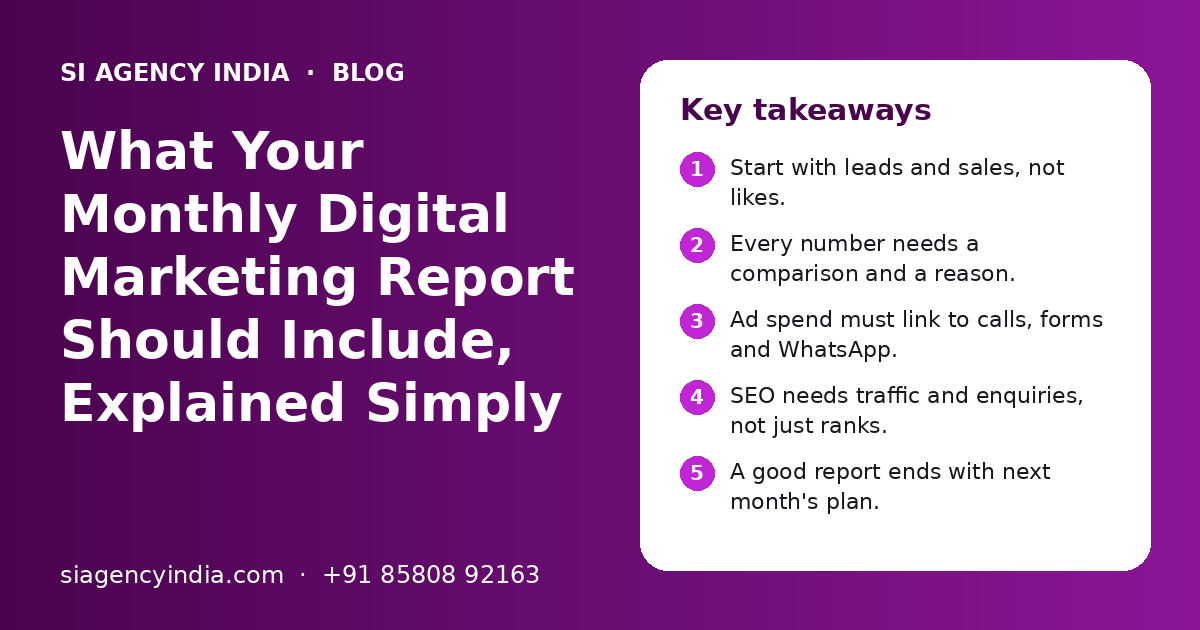
Key takeaways
- Start with leads and sales, not likes.
- Every number needs a comparison and a reason.
- Ad spend must link to calls, forms and WhatsApp.
- SEO needs traffic and enquiries, not just ranks.
- A good report ends with next month's plan.
- Ask for raw access to your own accounts.
What should a monthly digital marketing report include?
A monthly digital marketing report should include the results that matter to your business, such as enquiries and sales, along with the work done, the money spent and the plan for next month. Everything else is supporting detail.
A report is not a pile of screenshots. It should answer four questions: what did we try, what worked, what did not, and what will we change?
Most small businesses in India use a mix of SEO, Google Ads, Meta Ads, social media and a website. Each needs its own short section, but all should point to one goal: more good enquiries at a sensible cost.
Why does the summary page matter most?
The summary page matters most because it is the part you will actually read. In five minutes it should tell you whether the month was good or bad, and why.
A good summary is written for the owner, not for another marketer. It shows the main numbers next to last month's numbers.
What a useful summary looks like
- Total leads this month and last month, by source (Google Ads, Meta Ads, SEO, WhatsApp, calls).
- Three things that went well.
- Three things that did not go well, with the reason.
- The top three actions for next month.
- Any decision needed from you, such as budget or offers.
If your agency sends only charts with no written summary, ask for one. It takes them a little time, but it shows that someone has really looked at your account. If you are still choosing a partner, our guide on how to choose a digital marketing agency in India covers reporting as one of the key questions.
Which lead and sales numbers should you see every month?
You should see the number of real enquiries, where each one came from and, if possible, how many turned into customers. These are the numbers that connect marketing to your income.
Many reports stop at clicks or website visits. That is not enough. A visit is not a customer. You want to know how many people called, filled a form, sent a WhatsApp message or booked an appointment.
| Metric | What it means in plain words | Why it matters |
|---|---|---|
| Total leads | People who called, filled a form or messaged you | This is the main result of marketing |
| Leads by source | Which channel each lead came from | Shows where to spend more or less |
| Cost per lead | Ad spend divided by leads from ads | Tells you if ads are getting costly |
| Lead quality | How many leads were genuine and relevant | Cheap but useless leads waste your team's time |
| Leads to customers | How many enquiries turned into paying customers | Needs your sales team's input, but shows real value |
WhatsApp is a big lead source for Indian businesses. Make sure WhatsApp clicks and chats are tracked too. If you use WhatsApp Business API, our WhatsApp marketing page explains how chats can be tracked and followed up.
What should the Google Ads and Meta Ads part show?
The ads section should show how much was spent, what that money brought in and what was changed during the month. Spend without results, or results without spend, gives you only half the picture.
Google Ads metrics in plain words
| Metric | Simple meaning |
|---|---|
| Impressions | How many times your ad was shown |
| Clicks | How many people clicked the ad |
| CTR (click-through rate) | Out of people who saw the ad, how many clicked |
| CPC (cost per click) | Average amount paid for one click |
| Conversions | Calls, forms or WhatsApp chats that came from the ads |
| Cost per conversion | How much you paid, on average, for one enquiry |
| Search terms | The actual words people typed before they clicked |
Ask to see the top search terms each month to check that ads appear for the right searches. Our Google Ads management page explains this work in more detail.
Meta Ads metrics in plain words
- Reach: how many different people saw your ad on Facebook or Instagram.
- Frequency: how many times, on average, each person saw it. Very high frequency can mean people are getting tired of the ad.
- Leads or messages: form fills, WhatsApp chats or Instagram DMs from the ad.
- Cost per lead: spend divided by those leads.
- Creative results: which image, video or reel brought the most enquiries.
For Meta Ads, the creative matters a lot. A good report shows which ad designs worked and which ones will be replaced. You can read more on our Meta Ads agency page.
Need help with your project?
Talk to the SI Agency India team. Free first call, simple advice, clear quote.
What should an SEO report show if results take time?
An SEO report should show both the work done and the early signs of progress, such as more pages in Google, better rankings for key terms and more visits from search. Over time it must also show enquiries from organic search.
SEO is slow compared to ads. In the early months you may not see many new leads. That is normal. But you should still see clear work and steady signs that things are moving in the right direction.
- Organic traffic: visits from Google search, compared with last month and the same month last year if available.
- Keyword rankings: positions for your main service and city terms, not only easy terms nobody searches.
- Search Console data: clicks and impressions for your important pages.
- Google Business Profile: calls, direction requests and website clicks from your listing.
- Content published: new pages or blog posts with links.
- Technical fixes: speed, broken links, mobile issues and indexing problems solved.
- Enquiries from organic search: forms and calls from people who found you on Google.
Rankings matter only for terms your buyers actually search. Our SEO services in India page explains how we pick these terms, and local SEO for multiple locations covers Google Business Profile reporting.
How should social media and website results be reported?
Social media should be reported by reach, engagement and messages or enquiries, while the website should be reported by speed, uptime, form checks and security updates. Both should link back to business goals.
Social media
Followers and likes do not pay your bills. A useful social report shows reach, interactions and how many people sent a DM, WhatsApp message or called. It also shows which post types worked, such as reels or carousels.
If your agency handles your pages, you should see the content calendar for next month too. Our social media marketing page explains how planning and reporting work together.
Website health
- Was the site up all month, and were there any downtime alerts?
- Do the contact form, call button and WhatsApp button still work? Were they tested?
- Were plugins, themes and backups updated, if it is a WordPress site?
- Is page speed on mobile stable or getting worse?
- Were any security warnings or spam issues found and fixed?
A broken form can silently kill your leads for weeks. A simple monthly test of every form and button prevents this. See our website maintenance page for what regular care includes.
What does a sample monthly report outline look like?
A sample monthly report can follow one simple outline: summary first, then leads, then each channel, then website health, then next month's plan. Most small businesses need only a few pages if the content is clear.
| Section | What it contains | Who it is for |
|---|---|---|
| 1. Summary | Main numbers vs last month, wins, problems, decisions needed | Owner |
| 2. Leads and sales | Leads by source, cost per lead, lead quality notes | Owner and sales team |
| 3. Google Ads | Spend, conversions, cost per conversion, search terms, changes made | Owner and marketing lead |
| 4. Meta Ads | Spend, reach, leads, best and worst creatives, changes made | Owner and marketing lead |
| 5. SEO | Organic traffic, key rankings, Search Console, Google Business Profile, work done | Owner and marketing lead |
| 6. Social media | Posts made, reach, engagement, messages, top posts | Marketing lead |
| 7. Website health | Uptime, form tests, updates, speed, security | Marketing lead |
| 8. Next month plan | Top actions, tests to run, content plan, budget advice | Everyone |
You can ask your agency to follow this outline even if they use their own design. The order matters more than the colours. Summary and leads should always come first.
What are the red flags in a digital marketing report?
The main red flags are reports with no lead numbers, no comparison with last month, no explanation of changes and no plan for next month. Another big red flag is when you cannot see your own ad and analytics accounts.
Signs of a good report
- Leads and cost per lead are shown clearly
- Every number is compared with last month
- Bad results are explained honestly
- Changes made during the month are listed
- Next month has a clear, short plan
- You have owner access to all accounts
Red flags to watch
- Only impressions, reach and likes are shown
- The same template with new numbers and no comments
- Rankings only for terms nobody searches
- Ad spend with no conversion tracking
- Big words with no plain explanation
- The agency owns your ad or analytics accounts
Which questions should you ask your agency about the report?
Ask questions that connect the numbers to your business: where leads came from, why costs changed and what will be done next. A good agency will be happy to answer in simple words.
- 1
Ask about leads first
How many genuine leads did we get this month, and from which channels? How does that compare with last month?
- 2
Ask about cost
Did our cost per lead go up or down? What caused the change, such as season, competition or new ads?
- 3
Ask about changes
What did you change in ads, SEO or the website this month, and what was the result?
- 4
Ask about problems
What did not work, and what will you stop or fix next month?
- 5
Ask about tracking
Are all calls, forms and WhatsApp clicks being tracked? When was tracking last tested?
- 6
Ask about next month
What are the top three actions, and what do you need from us, such as offers, photos or faster lead follow-up?
Also agree on two or three main goals at the start, share how many leads became customers, and fix a short monthly review call. For channel budgets, see our digital marketing budget planning guide.
At SI Agency India, powered by Shivah Web Tech, we send monthly reports that start with leads and plain comments, and we keep all accounts in your name. Small businesses can read our digital marketing for small business in India page or contact us for a free call. You get a clear quote after the call.
Frequently Asked Questions
What should a monthly digital marketing report include for a small business?
It should include a short summary, total leads by source, ad spend and cost per lead, SEO traffic and key rankings, Google Business Profile actions, social media reach and messages, website health checks and a plan for next month. Each number should be compared with last month, with a simple note on why it changed.
What are vanity metrics in digital marketing?
Vanity metrics are numbers that look impressive but do not show business results on their own. Examples are impressions, followers, likes and page views. They can help explain what happened, but they should not replace leads, enquiries, bookings and sales. If a report shows only vanity metrics, ask your agency to add lead and cost data.
Should I get access to my own Google Ads and Meta Ads accounts?
Yes. Your business should own the Google Ads account, Meta Business Manager, Google Analytics, Search Console and Google Business Profile. The agency should be added as a user or partner. This lets you check numbers yourself and keeps your history and data safe if you change agencies later.
Why do SEO reports show rankings but no new leads?
In the early months of SEO, rankings and traffic often improve before leads grow, because pages need time to reach the top positions. But if many months pass with no rise in organic enquiries, check whether the rankings are for terms your buyers really search, and whether the website pages have clear calls to action.
How often should my agency send a marketing report?
A full report once a month works for most small businesses. If you run ads with a large budget, a short weekly update on spend and leads is also useful. A quarterly review helps you see trends, because a single month can be affected by festivals, holidays, exams or other seasonal changes.
What is a good cost per lead for my business?
There is no single good number. Cost per lead depends on your industry, city, competition, offer, season and the value of each customer. A better approach is to track your own cost per lead month by month, compare it with how many leads become customers, and judge it against your profit per sale.