Quick answer
Boost post vs Meta Ads Manager: which is better for a small business?
In the boost post vs Meta Ads Manager choice, boosting is better for quick, simple reach on a post that already works. Ads Manager is better when you want leads, sales or WhatsApp chats, because it gives full control over campaign goals, audiences, placements, creatives, testing and conversion tracking. Most growing businesses need Ads Manager for serious results.
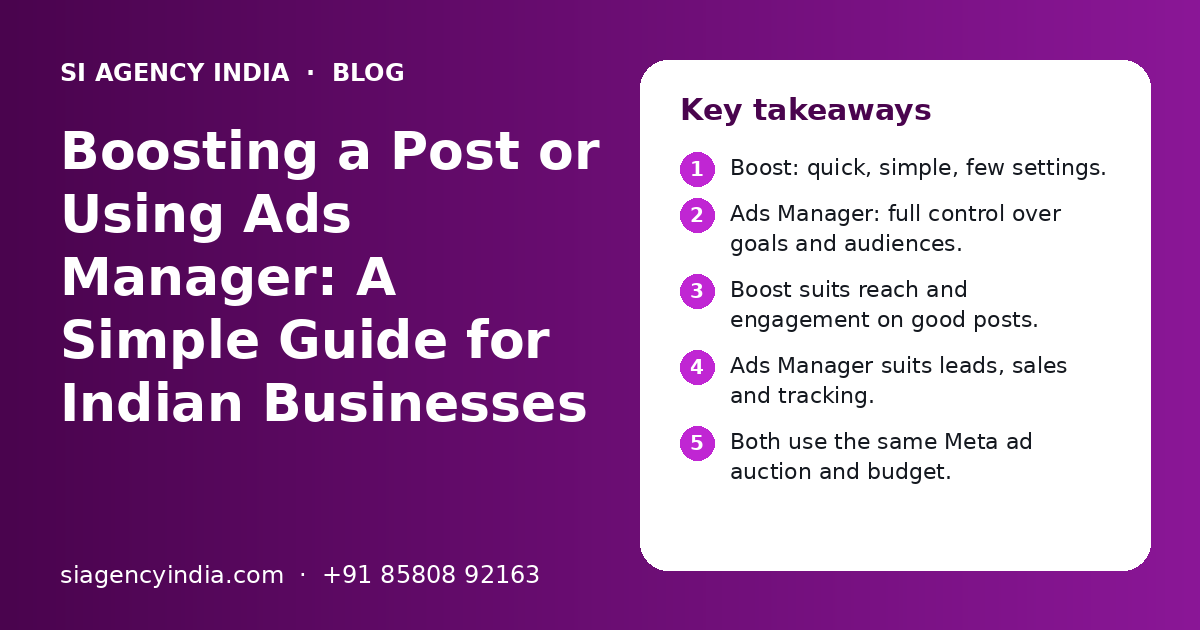
Key takeaways
- Boost: quick, simple, few settings.
- Ads Manager: full control over goals and audiences.
- Boost suits reach and engagement on good posts.
- Ads Manager suits leads, sales and tracking.
- Both use the same Meta ad auction and budget.
- Start with one clear goal, not likes.
What is the difference between boosting a post and using Meta Ads Manager?
The main difference in the boost post vs Meta Ads Manager question is control. Boosting turns one existing post into a simple ad in a few taps. Ads Manager is Meta's full ad tool, where you build campaigns with detailed goals, audiences, placements and tracking.
Both options run in the same Meta ad system. Your boosted posts also show up inside Ads Manager. So the question is not which one is "real advertising". The question is how much control you need for your goal.
If you are new to paid social, our Meta ads agency page explains how Facebook and Instagram ads work for Indian businesses.
How do boosted posts and Ads Manager compare side by side?
Boosting wins on speed and ease. Ads Manager wins on goals, targeting, testing and tracking. The table gives a quick view.
| Point | Boost post | Meta Ads Manager |
|---|---|---|
| Where you start | The post itself, in the app or on the Page | Ads Manager on desktop or the Ads Manager app |
| Time to set up | A few minutes | Longer, needs planning |
| Campaign goals | A short list of simple goals | Full list of objectives, such as leads and sales |
| Audience options | Basic location, age and interests | Detailed, custom and lookalike audiences |
| Placements | Limited control | Choose or let Meta pick placements |
| Ad creative | Only the existing post | New ads, many formats, many versions |
| Lead forms | Not the main use | Full instant form setup |
| Conversion tracking | Basic | Pixel and Conversions API based optimisation |
| A/B testing | Not available in the simple flow | Built-in testing tools |
| Best for | Reach and engagement on a good post | Leads, sales, chats and scaling |
When does boosting a post make sense?
Boosting makes sense when a post is already doing well on its own and you want more people nearby to see it. It is also fine for small, short tests when you have no time to build a full campaign.
- A post or reel that already gets good comments and shares.
- Announcing a new shop opening, branch or festive offer to people in your area.
- Getting a few more profile visits or followers for a new page.
- A quick test of a new photo style before spending more.
- When nobody in the team knows Ads Manager yet.
For example, a sweet shop in Ludhiana posts a reel of fresh Diwali boxes. The reel gets good comments in the first hour. Boosting it to people within a few kilometres for a few days is a sensible, simple step.
Why owners like boosting
- Very quick, done from the phone
- No new ad needs to be made
- Likes and comments stay on the original post
- Easy to stop or change
Where boosting falls short
- Few goals, so Meta often chases cheap likes
- Basic targeting only
- No proper testing of different ads
- Weak link to real leads or sales
When should you use Meta Ads Manager instead?
You should use Ads Manager when the goal is business results, such as enquiries, WhatsApp chats, calls, bookings or online orders. It is also needed when you want to test ideas, reach past visitors or spend more money in a controlled way.
Clear signs you need Ads Manager
- You want leads through instant forms or a landing page.
- You sell online and want Meta to find buyers, not just viewers.
- You want to show ads to people who visited your website or messaged you.
- You want to run two or three ad versions and see which one works.
- You need a monthly report on cost per lead or cost per sale.
A coaching institute that wants admission enquiries, a builder who wants site visit bookings, or a D2C brand that wants online orders should all work in Ads Manager. Boosting a post for these goals usually brings likes, not customers.
If your goal is online sales, see how we plan full-funnel campaigns on our D2C ecommerce marketing page.
Why do boosted posts often get likes but no leads?
Boosted posts often get likes but no leads because Meta does what you ask. If the goal is engagement, it shows the post to people who tend to like and react, not to people who tend to fill forms or buy.
- The post has no clear call to action, such as "Send us a WhatsApp message".
- The audience is too wide, such as the whole of India for a local shop.
- There is no tracking, so nobody knows which enquiries came from the ad.
- The post was made for followers, not for new people who do not know the brand.
- The landing page or WhatsApp reply is slow, so interested people drop off.
These are the same problems we see in many small business accounts. Our guide to digital marketing for small business in India covers how to fix the basics before spending more on ads.
Need help with your project?
Talk to the SI Agency India team. Free first call, simple advice, clear quote.
How do targeting and tracking differ between the two?
Ads Manager gives much better targeting and tracking. Boosting offers a basic audience and basic results, while Ads Manager lets you use your own customer lists, website visitors and proper conversion events.
| Feature | Boost post | Ads Manager |
|---|---|---|
| Location, age, gender | Yes | Yes |
| Interests | Basic | Detailed |
| Website visitors (retargeting) | Limited | Yes, with Meta Pixel |
| Customer list upload | Limited | Yes, custom audiences |
| Lookalike audiences | Limited | Yes |
| Exclude past buyers | Limited | Yes |
| Optimise for purchases or leads | No, simple goals only | Yes, with tracking set up |
Why tracking matters so much
Meta learns from the results you track. If you only track likes, it finds likers. If you track leads or purchases through the Meta Pixel and Conversions API, it can learn who is more likely to become a customer. Our post on what a digital marketing report should include explains which numbers matter most.
What affects how much you spend on boosted posts and Ads Manager?
Both options use the same Meta auction, so your cost depends on your audience, competition, season, ad quality and goal, not on the button you press. Ads Manager does not cost more by itself. It only takes more time to set up well.
| Cost factor | How it affects spend |
|---|---|
| Audience size and type | Narrow or high-demand audiences can cost more to reach |
| Competition | More advertisers in your category means a tougher auction |
| Season | Festive months like Diwali and wedding season are busier |
| Ad quality | Clear, relevant ads usually get better results for the same budget |
| Campaign goal | Leads and sales cost more per result than reach or likes |
| Landing page or chat speed | Slow follow-up wastes paid clicks |
| Management time | Ads Manager needs skilled hands, in-house or agency |
To plan how much to put into Meta versus Google, SEO and other channels, read our marketing budget planning guide. We do not share fixed prices in articles. You get a clear quote after a free call.
Can you use both boosted posts and Ads Manager together?
Yes, many businesses use both. A simple plan is to boost a few strong posts for local reach, and run the main lead or sales campaigns in Ads Manager.
Local shop or clinic
Boost strong posts for reach. Use Ads Manager for WhatsApp chat or call campaigns.
Coaching or school
Use Ads Manager with lead forms during admission season. Boost event and result posts.
Online brand
Run sales campaigns and retargeting in Ads Manager. Boost new launches for extra buzz.
One tip: when a post is doing well, you can use that same post inside an Ads Manager campaign. This keeps the likes and comments on one post, while you still get full control over goal, audience and tracking.
Good organic posts make both options work better. Our social media marketing team plans content that can later become strong ads. You can also read how often a business should post on social media.
How do you move from boosting to Ads Manager, step by step?
Move to Ads Manager in small, clear steps: set up the business accounts, add tracking, pick one goal, and start with a simple campaign. You do not need a complex setup on day one.
- 1
Set up Meta Business Suite properly
Keep your Page, Instagram account, ad account and payment method under your own business portfolio, in your business name.
- 2
Add tracking
Install the Meta Pixel on your website and, where possible, the Conversions API. For WhatsApp leads, agree on a simple way to record each chat.
- 3
Pick one goal
Choose one clear result for the first campaign, such as leads, WhatsApp chats or website sales.
- 4
Define one or two audiences
Start with your real service area and a clear buyer type. Avoid targeting all of India unless you ship or serve all of India.
- 5
Make two or three ad versions
Try different images, videos or first lines. Write in the language your buyers use, such as Hindi, Punjabi or English.
- 6
Prepare the follow-up
Make sure someone replies to forms and WhatsApp messages quickly, ideally within minutes.
- 7
Review weekly
Check cost per lead, lead quality and sales. Pause weak ads and give more budget to the ones that work.
If your leads come mainly on WhatsApp, our WhatsApp marketing page explains how to handle chats, replies and follow-ups in a clean way.
How can SI Agency India help with your Meta ads?
We can review your current boosted posts and ad account on a free call and tell you honestly whether boosting is enough or whether you need proper Ads Manager campaigns.
Our parent team, Shivah Web Tech, is a Meta Business Partner and a Google Partner, with 11+ years of experience and 500+ projects. We work with businesses across India online from our Mohali office, Monday to Friday, 9:30 to 6:30 IST. Your Page, ad account and payment method always stay in your name.
If you also want to compare Meta with search ads, see our Google Ads management page. When you are ready, contact us to book a free ad review. You get a clear quote after the call.
Frequently Asked Questions
Is boosting a post on Facebook worth it for a small business?
Boosting can be worth it for simple goals, such as getting more local people to see a good post, an offer or an event. It is usually not the best way to get leads or sales, because the goals and targeting are basic. If you want enquiries, WhatsApp chats or orders, a campaign in Meta Ads Manager with tracking usually gives better value.
Should I boost a post or use Ads Manager for leads?
For leads, use Ads Manager. It lets you choose a leads goal, build an instant form or send people to a landing page or WhatsApp, and track each lead. Boosted posts often bring likes and comments from people who are not ready to buy. Ads Manager helps Meta learn who is more likely to become a real enquiry.
Is boosting on Instagram the same as boosting on Facebook?
They work in a similar way. On Instagram you can boost a post or reel from the app, and on Facebook you can boost a post from your Page. Both are simple ads made from an existing post, with basic goals and audiences. If your Facebook Page and Instagram account are connected, you can manage both from Meta's tools.
Does Ads Manager cost more than boosting a post?
No. Ads Manager does not charge extra by itself. Both use the same Meta ad auction, and you set the budget in both. What can cost more is the time and skill needed to set up campaigns, tracking and testing well. That is why many businesses use an in-house person or an agency for Ads Manager.
Can I see my boosted posts inside Meta Ads Manager?
Yes. Boosted posts are ads, so they appear inside Ads Manager along with your other campaigns. You can see results there, such as reach and spend. However, to change advanced settings such as detailed goals, custom audiences or testing, it is better to create the campaign in Ads Manager from the start.
Do I need a website to use Meta Ads Manager?
No. You can run Ads Manager campaigns that use instant lead forms, WhatsApp chats, Messenger or calls, without a website. A website helps, because it lets you track visitors with the Meta Pixel and show ads again to people who visited. For online stores and many service businesses, a fast website with a clear enquiry form is still very useful.