Quick answer
How do you plan a content calendar for a small business?
To plan a content calendar for a small business, set one clear goal, pick one or two main platforms, choose four or five content themes and mark festivals, sales and seasons for the month. Then fill dates with topics, give each post an owner and a deadline, batch the work, schedule it and review results monthly.
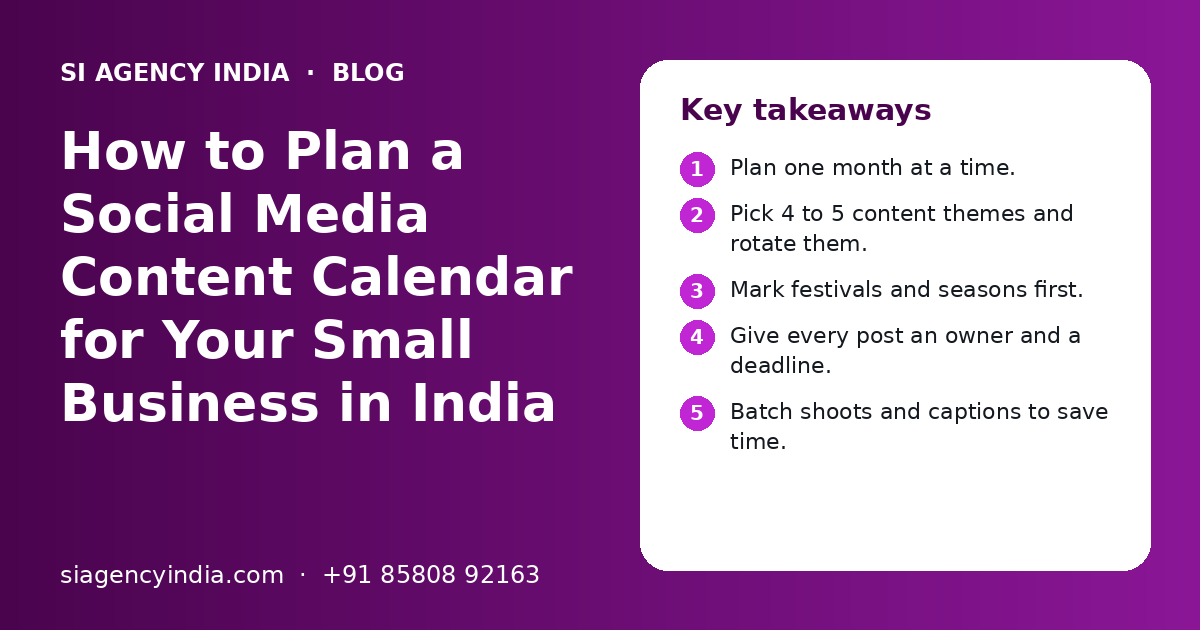
Key takeaways
- Plan one month at a time.
- Pick 4 to 5 content themes and rotate them.
- Mark festivals and seasons first.
- Give every post an owner and a deadline.
- Batch shoots and captions to save time.
- Review results monthly, then adjust.
What is a content calendar and why does a small business need one?
A content calendar is a simple plan that shows what you will post, on which platform, on which date and who will make it. A small business needs one because it removes daily guesswork and keeps posting steady even in busy weeks.
Without a plan, most small businesses post in bursts. They post daily during a sale, then go quiet for weeks when the shop gets busy. Customers notice the gaps. A calendar fixes this because the thinking is done once a month, not every morning.
This post is about how to plan the calendar. If your question is how many posts to make each week, read our separate guide on how often a business should post on social media. For the wider picture of platforms and ads, see our social media marketing page.
What should you decide before you start planning?
Before you fill any dates, decide your goal, your main platforms, your audience and how much time your team really has. These four answers shape every post in the calendar.
- One main goal for the next three months, such as more WhatsApp enquiries, more store visits or more online orders
- One or two main platforms where your customers really spend time
- Who your customer is, which city or area they are in and which language they prefer
- How many hours a week your team can give to content, without hurting daily work
- Your brand basics: logo, colours, fonts and the tone you want to use
- Who gives final approval before anything goes live
Also decide the one next step you want people to take, such as a call, a WhatsApp message, a visit or a quote request. Each post should point to it.
If WhatsApp is a main channel, our WhatsApp Business API marketing page explains planned broadcasts.
How do you plan a content calendar step by step?
Plan the calendar in a fixed order: dates first, then themes, then topics, then owners and deadlines. Doing it in this order stops you from missing a festival or overloading one week.
- 1
Open a fresh month in your sheet
Copy last month's tab, clear it and list every date.
- 2
Add fixed dates
Mark festivals, national days, local events, your sales, launches, shop anniversaries and seasons that matter to your customers.
- 3
Set your weekly rhythm
Decide which days you post on each platform.
- 4
Assign a theme to each slot
Rotate your four or five themes across the week so the feed does not become only offers or only tips.
- 5
Write a one-line topic for each post
For example, 'Three ways to store basmati rice' or 'Meet our new technician'.
- 6
Choose the format
Decide reel, carousel, photo, story, short video or text post.
- 7
Add an owner and a deadline
Every post needs one person responsible and a date by which the design, video and caption are ready.
- 8
Batch, approve and schedule
Shoot and write in one or two sessions, get approval, then schedule posts in advance.
- 9
Review at month end
Check what brought messages, calls and visits.
The first month takes the longest. From the second month, you copy the sheet, keep what worked and change the rest. Most small teams find the planning itself then takes a short meeting and one working session.
What should a content calendar template include?
A good content calendar template has one row per post and columns for date, platform, theme, topic, format, caption, owner, deadline, status and result. A plain spreadsheet is enough for most small businesses.
| Date | Platform | Theme | Topic | Format | Owner | Status |
|---|---|---|---|---|---|---|
| Mon 2nd | Instagram, Facebook | Tips | Three ways to keep your purchase like new | Carousel | Designer | Ready |
| Wed 4th | Behind the scenes | How we pack an order | Reel | Shop staff | Shooting | |
| Thu 5th | Expertise | Owner's note on a common buyer question | Text post | Owner | Draft | |
| Fri 6th | Instagram, WhatsApp Status | Offer | Weekend offer for repeat customers | Photo and story | Designer | Waiting approval |
| Sat 7th | Community | Local event or customer thank-you | Photo | Owner | Idea |
Add columns for the full caption, a link to the image or video, the language and the result after one week. Use simple colours for status, such as idea, in progress, waiting approval, scheduled and posted.
How do you choose content themes for your calendar?
Choose four or five themes that match what your customers want to know and what you want them to do. Themes, also called content pillars, keep the feed balanced and make topic ideas easier to find.
Tips and how-to
Short answers to questions customers ask you every week. These are often saved and shared.
Behind the scenes
Your team, your kitchen, your workshop or your packing table. This builds trust.
Products and services
Clear posts on what you sell, who it is for and how to order or book.
Customer stories
Real reviews or photos shared with the customer's permission. Never make these up.
Offers and news
Sales, new stock, new timings, new branches and festival offers.
To find topics inside each theme, ask your sales or front-desk staff what customers ask most. List those questions in a tab of your sheet. That list alone can fill months of posts.
One idea can become several posts, such as a reel, a carousel and a WhatsApp message. Our content marketing page explains how to reuse ideas, and our video marketing page shows how one shoot can give many clips.
Need help with your project?
Talk to the SI Agency India team. Free first call, simple advice, clear quote.
How do you plan around Indian festivals and seasons?
Mark festivals and seasons in your calendar first, then plan festival posts two to four weeks early so design, approvals and any offers are ready in time. Only plan for festivals your customers celebrate and that fit your brand.
| Time of year | Common dates and seasons | Content ideas |
|---|---|---|
| January to March | Lohri, Makar Sankranti, Pongal, Republic Day, board exams, financial year end | Winter offers, exam tips for education brands, year-end reminders for B2B and finance-related services |
| April to June | Baisakhi, new financial year, summer holidays, new school session in many states | Summer care tips, holiday offers, new-year planning posts for B2B |
| July to September | Monsoon, Raksha Bandhan, Independence Day, Onam, Ganesh Chaturthi in many regions | Monsoon care tips, gifting ideas, local festival greetings |
| October to December | Navratri and Dussehra (late September or October), Diwali, wedding season, Christmas, year-end | Gifting guides, festive offers, wedding-related services, year-in-review posts |
Seasons matter too. A clinic can plan for monsoon illnesses, a coaching centre for exams and results, and an AC dealer for summer.
If you run paid ads in festive months, plan your ad creatives in the same calendar. Our Meta ads agency page explains how ads and regular posts can support each other, and online stores can see our D2C ecommerce marketing guide for sale-season planning.
Who does what in a small business content calendar?
In a small business, one person should own the calendar, one or two people should create content and the owner should approve. Clear roles stop posts from getting stuck.
| Role | Main job | Who it can be in a small business |
|---|---|---|
| Calendar owner | Plans the month, chases deadlines and schedules posts | A marketing person, an office executive or an agency |
| Content creator | Writes captions, designs posts, shoots and edits videos | In-house staff, a freelancer or an agency |
| Subject expert | Gives correct facts, tips and answers | Owner, doctor, engineer, chef or senior staff |
| Approver | Checks facts, tone, prices and offers before posting | Owner or a manager |
| Community manager | Replies to comments, DMs and WhatsApp messages | Front desk or sales staff |
Set a simple approval rule. For example, the calendar for next month is ready by the 20th, the owner approves by the 25th, and all posts for the first two weeks are ready by the 28th. Fixed dates stop last-minute rushes.
Which tools help you manage a content calendar?
Most small businesses only need a spreadsheet, a shared folder, a simple design tool and the scheduling options inside the platforms. Paid planning tools help later, when you post a lot or manage many accounts.
Free and simple tools
- A spreadsheet such as Google Sheets or Excel for the calendar itself
- A shared drive folder for photos, videos and brand files
- Meta Business Suite to schedule Instagram and Facebook posts
- Built-in scheduling where LinkedIn and YouTube offer it
Paid planning tools
- Monthly fees that add up for a small team
- Time needed to learn and set up
- Many features a small business never uses
- Useful mainly when you run many accounts or brands
Whatever tools you use, keep one source of truth. If the plan lives in a sheet, a chat group and someone's notebook at the same time, things get missed.
What mistakes should you avoid when planning a content calendar?
The most common mistakes are planning too much, leaving no room for timely posts, skipping approvals and never reviewing results. Each one is easy to fix once you see it.
- Planning more posts than the team can make well, then giving up after two weeks.
- Filling every slot, so there is no space for new stock, a local event or a trending topic that fits.
- Posting only offers, with no tips, stories or behind-the-scenes content.
- Adding festival posts too late, when designers are already busy.
- Posting prices or offers without checking them with the owner first.
- Judging the plan on likes alone instead of messages, calls, visits and orders.
How do you review and improve your content calendar each month?
Review the calendar at the end of each month by checking which posts brought real actions, such as messages, calls, saves, shares and website visits. Then keep the themes and formats that worked and change the rest.
- Which three posts brought the most messages, calls or enquiries?
- Which theme and format did people save or share most?
- Did we post on the planned days, or did we miss some?
- Which posts were late, and why?
- Did comments and messages get a reply on the same working day?
- What will we repeat, change or stop next month?
Give a new plan at least two or three months before you make big changes. One month is often too short to see a clear pattern, especially for a new page.
Plan content next to your ads and website so they tell the same story. Our guide on digital marketing budget planning shows how to split time and money. If posting keeps slipping, an agency can help. SI Agency India plans content calendars for businesses across India from our Mohali office, backed by Shivah Web Tech's 11+ years and 25+ person in-house team. You get a clear quote after a free call. See digital marketing for small business in India or contact us.
Frequently Asked Questions
How far in advance should a small business plan its content calendar?
Planning one month ahead works well for most small businesses. It gives enough time to shoot photos and videos in batches, prepare festival posts and get approvals. Keep a rough list of big dates for the next three months as well, such as festivals, sales and launches, so you can start those posts early when they need more work.
Can I make a content calendar in Google Sheets or Excel?
Yes. A spreadsheet is enough for most small businesses. Make one row per post and add columns for date, platform, theme, topic, format, caption, owner, deadline, status and result. Use one tab per month and a separate tab for topic ideas. Share it with everyone who makes or approves content so there is only one plan.
How many content themes should a small business have?
Four or five themes are enough for most small businesses. Common ones are tips, behind the scenes, products or services, customer stories and offers. Rotating these themes keeps your feed balanced, so people do not see only sales posts. If a theme does not bring saves, shares or messages after a few months, replace it with a new one.
Should I post on every Indian festival?
No. Post for festivals your customers celebrate and that fit your brand. A short, honest greeting is enough for most of them. Put more effort into seasons where people actually buy from you, such as Diwali gifting, wedding season or exam time. Many festivals change dates each year, so check the current year's dates before you plan.
Who should manage the content calendar in a small business?
One person should own the calendar, even if many people help. This person plans the month, chases deadlines and schedules posts. The owner or a manager should approve posts with prices, offers or claims. In very small teams one person can hold several roles, as long as each post in the sheet has a clear name and deadline next to it.
What is the difference between a content calendar and a posting schedule?
A posting schedule only tells you when and how often to post, for example Monday, Wednesday and Friday. A content calendar goes further. It lists the actual topic, format, caption, owner, deadline and status of each post. You need both. The schedule sets the rhythm, and the calendar fills that rhythm with planned, approved content.