Quick answer
What are the most common Google Ads mistakes to avoid?
The most common Google Ads mistakes to avoid are wrong location settings, very broad keywords, no negative keywords, missing conversion tracking, sending clicks to the home page, accepting every automatic recommendation and judging results too early. Fixing these basics stops a lot of wasted spend and helps the same budget bring more real calls, forms and WhatsApp enquiries.
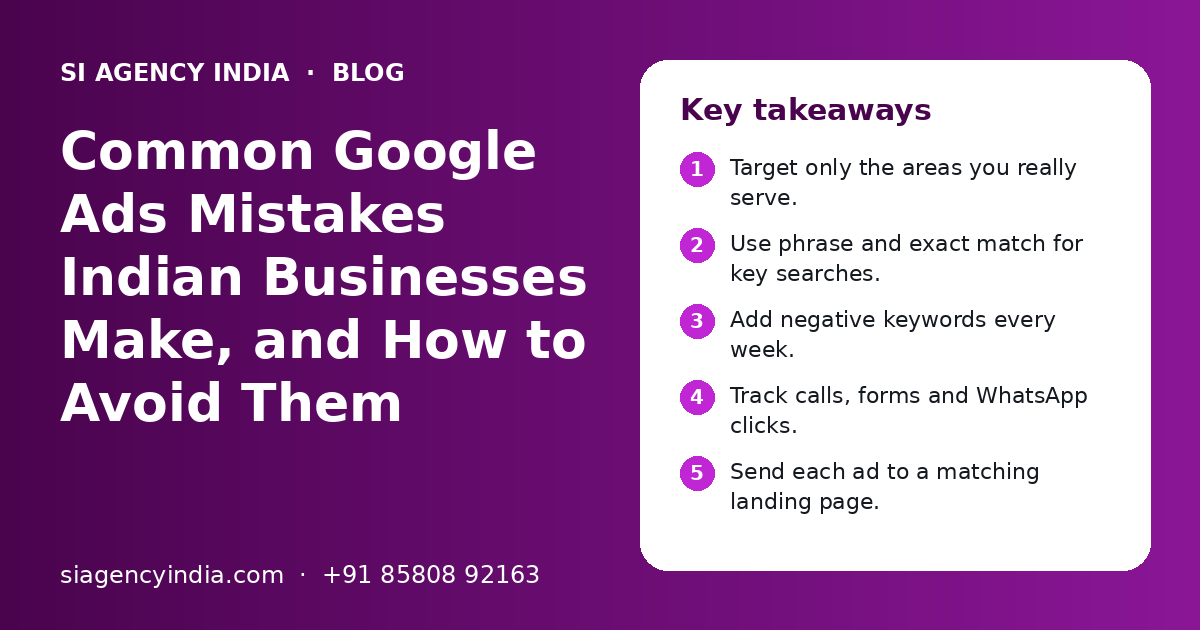
Key takeaways
- Target only the areas you really serve.
- Use phrase and exact match for key searches.
- Add negative keywords every week.
- Track calls, forms and WhatsApp clicks.
- Send each ad to a matching landing page.
- Review search terms before raising budget.
Why do Google Ads mistakes cost small businesses so much?
Google Ads mistakes cost small businesses a lot because you pay for every click, even when the click comes from the wrong person. A small setting error can send a large part of your budget to people who will never buy.
Big companies can absorb some waste while they test. A small clinic, coaching centre, manufacturer or online store usually cannot. Every wasted rupee is money that could have brought a real enquiry.
The good news is that most mistakes are simple to find and fix. You do not need to be an expert. You need to know where to look. The sections below follow the same order we use when we review a new account.
Mistake 1: Are your location settings showing ads in the wrong places?
Wrong location settings are one of the most common Google Ads mistakes. If you serve only one city but target all of India, or allow people who are merely 'interested' in your area, many clicks come from people who cannot become customers.
In location options, Google Ads lets you choose between showing ads to people who are in or regularly in your locations, or also to people who show interest in those locations. For most local businesses, the first option is safer.
| Business type | Common mistake | Better setting |
|---|---|---|
| Local clinic or salon | Targeting the whole state | City or a radius around the clinic |
| Coaching centre | All India targeting | Cities where students can attend |
| Manufacturer or B2B | Only one city | States or countries you can supply |
| Online store | Areas you cannot deliver to | Only pin codes or regions you ship to |
| Multi-branch business | One campaign for all branches | Separate targets per branch area |
If you run several branches, also make sure your Google Business Profiles are correct for each one. Our local SEO for multiple locations page explains how this works alongside ads.
Mistake 2: Are your keywords too broad?
Very broad keywords bring many searches that do not match what you sell. Using only broad match on short words, like 'shoes' or 'dentist', can show your ads for loosely related searches and burn budget fast.
Simple keyword rules
- Start with phrase match and exact match for your main services.
- Use longer keywords that show buying intent, like 'root canal treatment in Pune'.
- Group similar keywords into small ad groups, each with matching ads.
- Use broad match only when conversion tracking is working and you can watch search terms closely.
- Remove keywords that spend money for weeks without bringing enquiries.
Think about what your customer types when they are ready to buy. 'Best laptop' is research. 'Laptop repair near me' is a ready buyer. Both are real searches, but they need different ads and budgets.
Mistake 3: Are you missing negative keywords?
Negative keywords stop your ads from showing for searches you do not want. Without them, you may pay for clicks from people looking for jobs, free items, courses, second-hand products or how-to videos.
| Unwanted search type | Example negative keywords |
|---|---|
| Job seekers | job, jobs, vacancy, salary, hiring, internship |
| Free seekers | free, download, pdf, template |
| Learners | course, training, how to, tutorial, syllabus |
| Second-hand buyers | used, second hand, olx, old |
| Wrong product or service | Services you do not offer, competitor brands you do not stock |
Check the search terms report every week, especially in the first month. Add anything that does not fit as a negative keyword. Over time, this list becomes one of the most valuable parts of your account.
Mistake 4: Is conversion tracking missing or wrong?
Without conversion tracking, you cannot tell which keywords and ads bring enquiries. You end up judging ads by clicks, which can be very misleading. Smart bidding also needs correct conversion data to work well.
- 1
Decide what counts as a lead
Form submit, phone call, WhatsApp click, purchase or booking. Choose what really matters for your business.
- 2
Install the Google tag
Add it to every page of your website, or set it up through Google Tag Manager.
- 3
Track each action separately
Set up form submits, call clicks, calls from ads and WhatsApp clicks as separate conversions.
- 4
Test every conversion
Submit a test form and tap the buttons yourself. Check that each one shows in Google Ads.
- 5
Mark only real leads as primary
Do not count page views or scrolls as main conversions. They confuse automated bidding.
- 6
Match with your lead sheet
Each month, compare tracked leads with what your team actually received.
In India, many customers prefer to call or WhatsApp instead of filling a form. If you track only forms, you miss most of your leads. Our WhatsApp Business API marketing page explains how to handle and follow up on WhatsApp leads properly.
Need help with your project?
Talk to the SI Agency India team. Free first call, simple advice, clear quote.
Mistake 5: Are you sending ad clicks to the home page?
Sending every ad to your home page is a common mistake. People who search for one specific service want to land on a page about that service, with a clear way to contact you.
- The page heading matches the ad and the search.
- It loads quickly on mobile data.
- Call and WhatsApp buttons work in one tap.
- The form is short: name, phone and one question.
- It shows real photos, address and trust signals like reviews.
- It explains what happens after the visitor contacts you.
If your website is slow or hard to use on a phone, fix it before raising the ad budget. Otherwise you pay for clicks that leave in seconds. Our website design in India service builds fast, simple pages made for ads and enquiries.
Mistake 6: Are you accepting every automatic recommendation?
Google Ads shows many recommendations, and some can be applied automatically. Some are useful. Others may broaden keywords, raise budgets or add settings that do not suit a small local business. Read each one before you apply it.
Often worth a look
- Adding sitelinks, callouts and call assets
- Fixing disapproved ads or policy issues
- Adding missing conversion tracking
- Improving ad text relevance
Check carefully first
- Switching keywords to broad match
- Raising the daily budget
- Expanding to the search partners or display network
- Turning on new campaign types before basics work
Also review the network settings in Search campaigns. Many beginners leave the display network on by mistake. This can bring cheap clicks that rarely turn into leads. Keep search and display in separate campaigns so you can judge each one fairly.
Mistake 7: Are you judging results too early or too late?
Judging a campaign after two or three days is too early, while letting a bad campaign run for months without checks is too late. Give a new campaign a few weeks of steady data, but review search terms and spend from day one.
| When | What to check |
|---|---|
| Daily, first week | Spend, search terms, disapproved ads, tracking working |
| Weekly | Search terms, new negatives, cost per lead, ad schedule |
| Monthly | Lead quality with your sales team, budget split, landing page |
| Quarterly | Overall plan, new services or areas, mix with SEO and Meta Ads |
Also check lead quality, not just lead count. Ask your team which enquiries became real customers. A campaign with fewer but better leads is often the better one. Our digital marketing budget planning guide explains how to split spend across channels as you learn.
What other Google Ads mistakes should you avoid?
A few more mistakes are common: no ad schedule, weak ad text, the ad account in someone else's name, and using only Google Ads when SEO or Meta Ads would also help.
- Running ads at night when nobody can answer calls. Set an ad schedule that matches your working hours, or use forms at night.
- Writing ads that do not mention the service, the area or a clear next step.
- Letting an agency or freelancer own the ad account. It should be in your business name, with you as admin.
- Ignoring GST invoices for ad spend, which your accountant needs.
- Copying a competitor's keywords without checking if they suit your business.
- Expecting ads alone to build long-term traffic. Ads stop when the budget stops.
To see how paid search and organic search work together, read our SEO vs Google Ads guide. If your buyers scroll more than they search, our Meta Ads agency page explains when Facebook and Instagram ads fit better.
How can SI Agency India help fix your Google Ads account?
We can review your current Google Ads account on a free call, show you the main mistakes and suggest simple fixes. You can apply them yourself or let our team manage the account.
Our parent team, Shivah Web Tech, is a Google Partner with 11+ years of experience and 500+ projects. We work with businesses across India from our Mohali office, Monday to Friday, 9:30 to 6:30 IST. The account always stays in your name.
See how we manage campaigns on our Google Ads management page, or contact us to book an account review. You get a clear quote after a free call.
Frequently Asked Questions
Why are my Google Ads getting clicks but no leads?
Usually the clicks come from the wrong people, or the landing page does not convince them. Check the search terms report for unrelated searches and add negative keywords. Check location settings. Then test your landing page on a phone: it should load fast, match the ad and have working call and WhatsApp buttons. Also confirm that conversion tracking is set up correctly.
What is the biggest Google Ads mistake for beginners?
Running ads without conversion tracking is one of the biggest. Without it, you cannot tell which keywords or ads bring real enquiries, and automated bidding has no correct signal to learn from. Broad keywords with no negative keywords and wrong location settings are also very common and waste budget quickly.
How often should I check my Google Ads account?
In the first week, check spend and search terms daily. After that, a weekly review of search terms, negative keywords and cost per lead is a good habit. Once a month, talk to your sales team about lead quality and adjust budgets. Every quarter, review the overall plan and goals.
Should I use broad match keywords in Google Ads?
Broad match can work, but it is risky for small budgets and new accounts. It can show ads for loosely related searches. Start with phrase and exact match for your main services. Try broad match later, only when conversion tracking works well and you can watch the search terms report closely every week.
Is it a mistake to run Google Ads on the display network?
Not always, but it is a mistake to mix it into a search campaign without meaning to. Display ads show on websites and apps, often to people who are not searching for you. They can build awareness, but they usually bring lower-intent clicks. Run display in its own campaign with its own budget and goals.
How long should I run Google Ads before deciding if they work?
Give a new campaign a few weeks of steady spend and correct tracking before you decide. Results in the first days can swing a lot. During this time, keep improving negative keywords, ads and landing pages. If there are still no quality leads after these fixes, review the offer, targeting and page with an expert.
Who should own my Google Ads account?
Your business should own the Google Ads account, with your own email as admin and your own payment method. An agency can get access to manage it. This keeps all your data, history and settings safe if you change agencies. Never let anyone else keep sole ownership of your ad account.
Can SI Agency India audit my existing Google Ads account?
Yes. We can review your account settings, keywords, negative keywords, location targeting, tracking, ads and landing pages. We then share a simple list of mistakes and fixes. You can apply them yourself or ask our team to manage the account. We work with businesses across India and give a clear quote after a free call.