Quick answer
How do I migrate my website without losing SEO rankings?
To complete a website migration without losing SEO, list every old URL, map each one to the best new URL with a 301 redirect, keep your best content and page titles, and test everything on a staging site. On launch day, remove noindex, submit the new sitemap and watch Google Search Console for errors over the next few months.
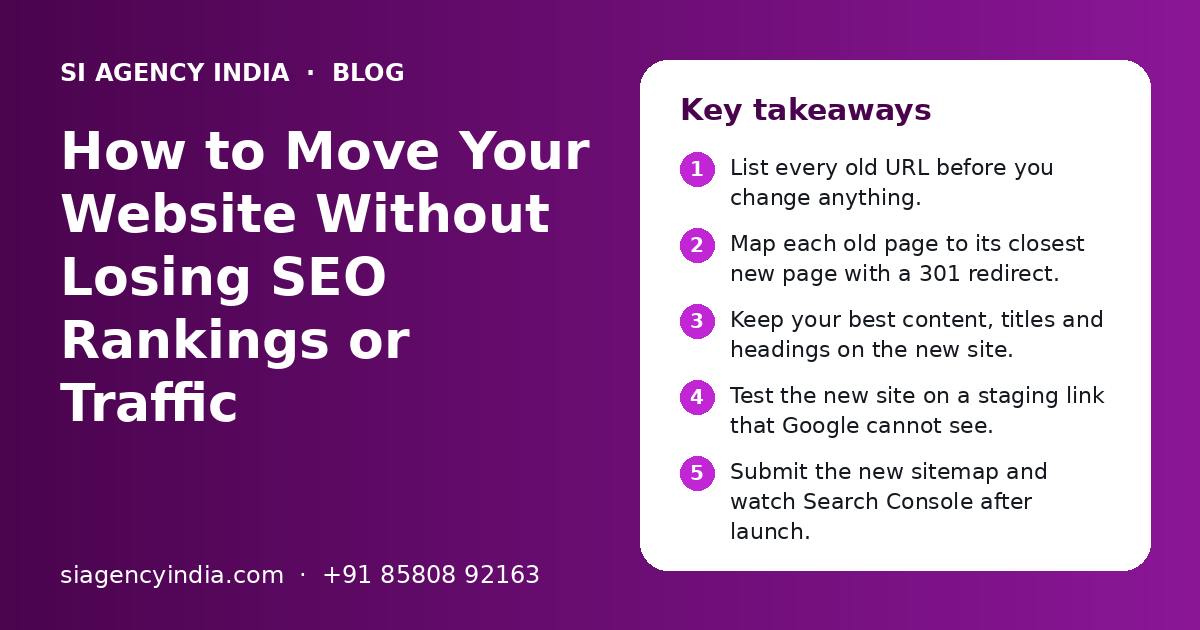
Key takeaways
- List every old URL before you change anything.
- Map each old page to its closest new page with a 301 redirect.
- Keep your best content, titles and headings on the new site.
- Test the new site on a staging link that Google cannot see.
- Submit the new sitemap and watch Search Console after launch.
- Keep redirects in place for the long term.
What is a website migration, and why can it hurt SEO?
A website migration is any big change to your site's addresses, platform, structure or domain. It can hurt SEO because Google has to find and trust your pages again, and broken links lose the ranking value the old pages had built up.
Many business owners only think about the new design. But Google does not rank designs. It ranks pages at specific addresses. If those addresses change and nobody tells Google where the pages went, visitors and Google both land on error pages.
Not every migration carries the same risk. The table below shows common types.
| Type of change | Example | SEO risk |
|---|---|---|
| Design refresh only | New look, same pages and URLs | Low |
| Hosting move | Moving to a new hosting company | Low, if done carefully |
| HTTP to HTTPS | Adding an SSL certificate | Low to medium |
| Platform change | WordPress to Shopify, or custom code to WordPress | Medium to high |
| URL structure change | /services.php?id=4 becomes /seo-services/ | High |
| Domain change | oldname.in to newname.com | High |
The higher the risk, the more careful planning you need. The steps below work for all types.
What should you do before you start a migration?
Before you start, take a full backup, record your current traffic and make a complete list of every page on the old site. You cannot protect what you have not measured.
- Take a full backup of files and database, stored outside your hosting.
- Make sure you have owner access to Google Search Console and Google Analytics in your own name.
- Export your top pages by traffic and by clicks from Search Console.
- Note the main search terms each top page ranks for.
- Save a list of every URL from your sitemap and a site crawl.
- List pages that other websites link to. These must never break.
- Record current leads, sales or calls per month for comparison.
- Choose a quiet launch time. For online stores, avoid festive sale periods like Diwali.
If you are also redesigning, plan the new page list together with the SEO list, not after it. Our website design team in India plans the new structure with the old URLs in front of them, so good pages are kept and not lost by accident.
How do you create a 301 redirect map?
A redirect map is a simple sheet with every old URL in one column and the best matching new URL in the next. Your developer uses it to set up 301 redirects, so visitors and Google reach the right new page.
- 1
Collect all old URLs
Use your sitemap, a crawl tool and the pages report in Search Console. Include blog posts, product pages, category pages and PDFs.
- 2
Match each to a new URL
Pick the new page with the closest topic. A product goes to the same product, not to the home page.
- 3
Handle removed pages
If a page is gone for good, redirect it to the nearest useful page, such as its category. Only let it show a 404 if nothing related exists.
- 4
Avoid redirect chains
Old page A should go straight to new page C, not A to B to C. Chains slow things down and can lose value.
- 5
Check the sheet twice
Read through it with someone who knows your business. Mistakes here are the most common cause of traffic loss.
Here is what a few rows of a redirect map might look like:
| Old URL | New URL | Note |
|---|---|---|
| /about-us.html | /about/ | Same page, new address |
| /products.php?id=12 | /products/steel-water-tank/ | Product kept |
| /blog/2019-offer/ | /blog/ | Old offer removed, sent to blog list |
| /services/web/ | /website-design/ | Service renamed |
What should you keep the same on the new website?
Keep the content that already ranks, along with its titles, headings and internal links. A big rewrite of top pages during a migration makes it hard to tell what caused any drop.
- Main text on your top pages. Improve it later, after the move settles.
- Page titles and meta descriptions that already bring clicks.
- Heading structure, with one clear H1 on each page.
- Image alt text and file names on product and service pages.
- Internal links between related pages.
- Schema markup, such as LocalBusiness, Product or FAQ data.
- Contact details: business name, address and phone, matching your Google Business Profile.
Moving platforms often breaks these quietly. For example, a move from WordPress to Shopify changes URL patterns for products and collections. Our Shopify development and WordPress development teams handle these platform rules during the build.
Need help with your project?
Talk to the SI Agency India team. Free first call, simple advice, clear quote.
How do you test the new website before it goes live?
Test the new site on a private staging link that Google cannot index. Check redirects, forms, payments and mobile speed before you switch the real domain over.
| What to test | How to test | Pass when |
|---|---|---|
| Staging is hidden | Check for noindex or a password | Google cannot see the test site |
| Redirects | Open a sample of old URLs | Each lands on the right new page in one step |
| Forms and WhatsApp | Submit and tap on a real phone | Enquiries reach the right inbox and number |
| Payments | Place a test order with UPI and card | Order, invoice and emails all work |
| Mobile and speed | Use a phone and PageSpeed Insights | Pages load quickly and are easy to use |
| Tracking | Check Analytics and ad tags | Leads and sales are recorded |
For online stores, also check GST details on invoices, shipping rules and stock levels. A store migration has more moving parts, so our ecommerce website development team tests the full order flow before launch.
What should you do on launch day?
On launch day, switch the redirects on, remove any noindex setting, submit the new sitemap and update every place that links to your site. Do this on a weekday morning so problems can be fixed the same day.
- Point the domain to the new site and confirm HTTPS works.
- Turn on all 301 redirects from the redirect map.
- Remove noindex and check that robots.txt does not block the site.
- Submit the new XML sitemap in Google Search Console.
- If you changed domain, use the Change of Address tool in Search Console.
- Update the website link on your Google Business Profile.
- Update final URLs in Google Ads and Meta Ads.
- Update links in social media bios, email signatures and directory listings.
Paid ads that point to old URLs can waste budget on redirects or error pages. If you run campaigns, our Google Ads management team can update every ad and check tracking on the same day.
Google's own guidance on site moves is on Google Search Central.
How do you check rankings and traffic after migration?
Watch Google Search Console every few days for the first month, and then weekly. Some movement in rankings is normal after a big change. A steady drop on key pages means something needs fixing.
| When | What to check | What to do if it looks wrong |
|---|---|---|
| First week | 404 errors, redirect errors, forms and sales | Fix missing redirects at once |
| Weeks 2 to 4 | Indexing report and top pages traffic | Check if new pages are indexed and old ones are dropping out |
| Months 2 to 3 | Clicks and rankings for main search terms | Compare with your saved numbers and review pages that fell |
| Ongoing | Leads, calls and sales | Make sure business results match or beat the old site |
Keep the redirects in place for the long term. Removing them after a few weeks can bring back broken links and undo the work.
If traffic does not recover, an SEO audit can find the cause. Our SEO services in India include migration audits that compare old and new pages one by one.
What are the most common website migration mistakes?
The most common mistakes are missing redirects, leaving noindex on, deleting pages that ranked well and launching without a backup. Each one can cost traffic for weeks.
Do this
- Save a full list of old URLs before work starts
- Redirect each old page to its closest new page
- Test on a hidden staging site
- Launch on a weekday morning
- Compare traffic with your saved numbers
Avoid this
- Redirecting every old page to the home page
- Copying the staging noindex setting to the live site
- Deleting old blog posts that still bring visitors
- Changing domain, platform and content all at once
- Losing access to the old site before checks are done
If your traffic has already dropped after a new site, do not panic. Start with Search Console. Look for 404 errors and pages that are no longer indexed. Many drops are fixed by adding the missing redirects.
When should you get expert help with a migration?
Get expert help if your site has many pages, takes online orders, or brings most of your leads from Google. In these cases, the cost of a mistake is usually higher than the cost of planning.
Our team at SI Agency India is powered by Shivah Web Tech, with 11+ years of experience and 500+ projects. We plan redirect maps, build the new site, test it on staging and watch Search Console after launch. We work online with businesses across India from our Mohali office, Monday to Friday, 9:30 to 6:30 IST, with 24x7 emergency support for urgent issues.
After the move, regular website maintenance keeps the new site fast, safe and free of broken links. To talk about your migration, contact us here. You get a clear quote after a free call.
Frequently Asked Questions
Will I lose Google rankings if I redesign my website?
Not if the redesign is planned well. Rankings drop mainly when URLs change without redirects, good content is removed, or the new site is blocked from Google by mistake. Keep your top pages, set 301 redirects for any changed addresses and test on staging. Some small movement in the first weeks is normal.
How long does it take for SEO to recover after a website migration?
It depends on the size of the site and the type of change. A simple redesign with the same URLs may see little change. A domain or platform change can take some weeks or a few months for Google to process fully. Watch Search Console and fix errors quickly to help recovery.
Can I change my domain name without losing SEO?
Yes, but it needs care. Redirect every old page to the matching page on the new domain with 301 redirects. Verify both domains in Google Search Console and use the Change of Address tool. Update your Google Business Profile, ads and social links. Keep the old domain registered and the redirects running for the long term.
What is a redirect map and do I really need one?
A redirect map is a sheet that lists every old URL and the new URL it should go to. If any page addresses change during your migration, you need one. Without it, old links from Google and other websites lead to error pages, and the ranking value of those pages can be lost.
Is it safe to move my website from WordPress to Shopify?
Yes, many businesses make this move for their online store. The main SEO risk is that Shopify uses fixed URL patterns for products, collections and pages, so most addresses will change. Plan a full redirect map, move product descriptions and images, and test the checkout before launch.
Why did my traffic drop after launching a new website?
The most common reasons are missing redirects, a noindex setting left on from testing, deleted pages that used to rank, or a robots.txt file that blocks Google. Check Google Search Console for 404 errors and indexing problems first. Fixing missing redirects quickly often brings most of the traffic back.
Does changing hosting affect SEO?
Changing hosting usually has little effect on SEO if the URLs, content and domain stay the same. Problems happen when the site is down for long during the move, or the new hosting is much slower. Move during a quiet time, check the site soon after the switch and keep a backup ready.
How much does a website migration cost in India?
The cost depends on the number of pages and products, the type of change, the platforms involved, and whether a redesign is included. A small brochure site is simpler than a large online store with thousands of products. Share your current site and plans with us, and you get a clear quote after a free call.