Quick answer
What is schema markup for small business websites and why does it matter?
Schema markup for small business websites is code, usually JSON-LD, that describes your business, products, articles and pages in a standard format. It helps Google and AI tools read facts like your name, address, hours and prices correctly. It can make a page eligible for rich results, but Google decides whether to show them.
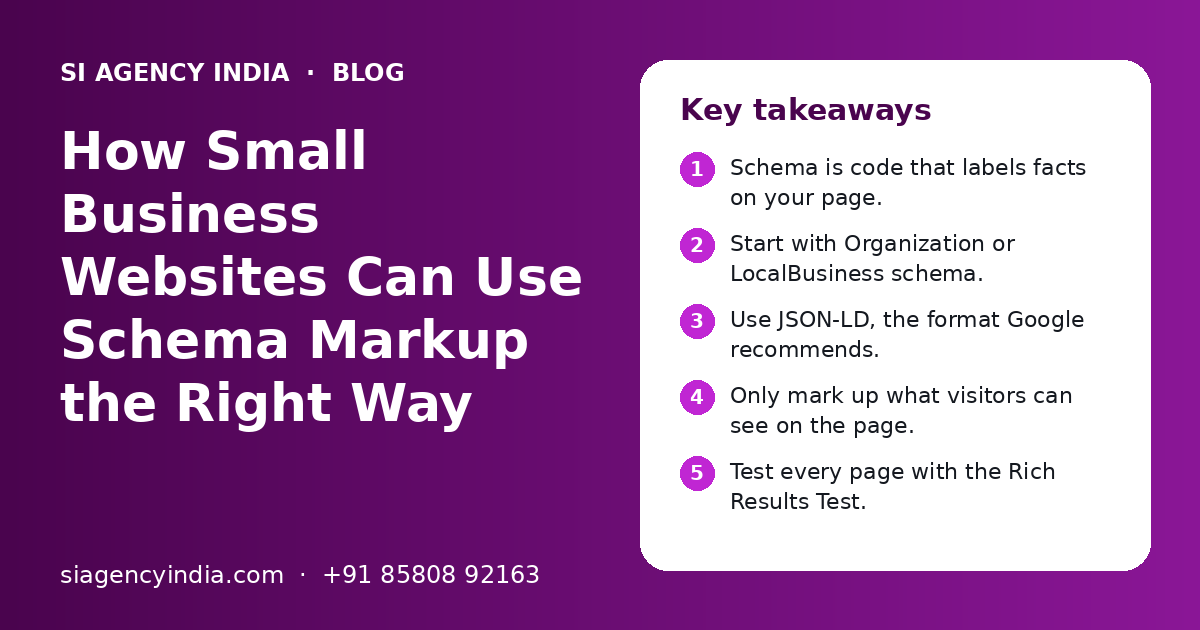
Key takeaways
- Schema is code that labels facts on your page.
- Start with Organization or LocalBusiness schema.
- Use JSON-LD, the format Google recommends.
- Only mark up what visitors can see on the page.
- Test every page with the Rich Results Test.
- Valid schema does not promise rich results.
What is schema markup in simple words?
Schema markup is extra code on a web page that labels important facts, such as your business name, phone number, opening hours or product price. People do not see it, but search engines read it to understand the page with less guessing.
The labels come from a shared list called Schema.org. Google, Bing and other search engines support it. You can read the full list on the official Schema.org website. A small business needs only a few of these types, not hundreds.
The three formats
| Format | How it works | Good for a small business? |
|---|---|---|
| JSON-LD | A separate block of code, usually in the page head | Yes. Google recommends it and it is easy to manage |
| Microdata | Labels added inside the HTML tags | Works, but harder to edit and easy to break |
| RDFa | Labels added as HTML attributes | Rarely needed for small business sites |
In this guide we use JSON-LD. It keeps the schema apart from the design, so a theme change does not break it.
How does schema markup help Google and AI search?
Schema markup helps search engines understand who you are and what each page offers. It can also make some pages eligible for richer search listings, such as product prices or breadcrumb paths.
Schema is not a direct ranking trick. A page with schema but weak content will not jump to the top. What schema does is remove confusion. Google can match your business name, address and phone with your Google Business Profile and other listings. It can tell that a page is a product, not a blog post.
What about AI search tools?
AI tools like Google AI Overviews, ChatGPT and Gemini try to give short, correct answers. Clear facts help them. Schema puts your key facts in a clean format, and it works best when the same facts also appear in plain text on the page. We cover this in more detail on our AI search optimization page.
Which schema types matter most for a small business?
Most small business websites need only five or six schema types: Organization or LocalBusiness, BreadcrumbList, Article for blog posts, Product for online stores, and sometimes FAQPage. Start with the business details and add the rest page by page.
| Schema type | Use it on | Main details to include |
|---|---|---|
| Organization | Home page or About page | Name, logo, website URL, social profile links, contact details |
| LocalBusiness | Home page or Contact page of a business with an address | Name, address, phone, opening hours, map location, area served |
| BreadcrumbList | Every inner page | The path from home to the current page |
| Article or BlogPosting | Blog posts and guides | Headline, author, date published, date updated, image |
| Product | Product pages of an online store | Name, image, price, currency, stock status, brand |
| FAQPage | Pages with a visible question and answer section | Each question and its full answer |
LocalBusiness or Organization?
If customers visit you, or you serve a fixed area from an address, use LocalBusiness. You can use a more exact type, such as Dentist, Restaurant or Store, when one fits. If you work fully online with no public address, Organization is enough. Shops and clinics should also read our guide to local SEO for multiple locations.
A note on FAQ schema
Google has limited FAQ rich results to a small group of well-known government and health websites. Most businesses will not see FAQ dropdowns in Google any more. FAQ schema is still valid code, and it still describes your questions clearly for machines. Just do not add it expecting a bigger listing.
What does a simple LocalBusiness schema look like?
A simple LocalBusiness schema is a short JSON-LD block with your business type, name, address, phone, website and hours. It sits inside a script tag in the page code.
Here are the details a clinic, shop or office in India would normally include. Fill each one with the exact same text that appears on your website and your Google Business Profile.
| Property | What to write | Example value |
|---|---|---|
| @type | Your business type | LocalBusiness, Dentist or Store |
| name | Your exact business name | Sharma Dental Care |
| address | Street, city, state, PIN code, country | Phase 7, Mohali, Punjab, 160062, IN |
| telephone | Main phone with country code | +91 and your number |
| url | Your home page address | https://www.yourdomain.com/ |
| openingHours | Days and times you are open | Mo-Sa 10:00-19:00 |
| image or logo | A link to your logo or shop photo | https://www.yourdomain.com/logo.png |
Keep the name, address and phone exactly the same everywhere. If your website says "Sharma Dental Care" and your Google listing says "Sharma Dental Clinic", you send mixed signals. The same rule applies to phone numbers and PIN codes.
Need help with your project?
Talk to the SI Agency India team. Free first call, simple advice, clear quote.
How do you add schema markup to your website?
You add schema markup either with a plugin or app, or by placing a JSON-LD block in the page code. The right method depends on how your website is built.
- 1
List your pages
Write down each page type: home, about, contact, service pages, blog posts and product pages.
- 2
Pick a schema type for each
Use the table above. Home page gets Organization or LocalBusiness. Blog posts get Article. Products get Product. All inner pages get BreadcrumbList.
- 3
Collect the exact facts
Business name, address, phone, hours, logo link and social links. Check they match your Google Business Profile.
- 4
Add the code
Use a plugin or app, or ask your developer to add JSON-LD blocks to the page templates.
- 5
Test each page type
Run one sample of each page type through the Rich Results Test and fix errors.
- 6
Watch Search Console
Check the enhancement reports in Google Search Console over the next few weeks for new errors or warnings.
Methods by platform
| Website type | Common method | Watch out for |
|---|---|---|
| WordPress | An SEO plugin that adds schema, plus custom JSON-LD where needed | Two plugins adding the same schema twice |
| Shopify | The theme's built-in Product schema, or an app | Old theme code that adds a second Product block |
| Custom or static site | JSON-LD added in the page templates | Facts in code that do not match the visible page |
| Website builders | Built-in SEO settings or a custom code box | Limited control over some page types |
If your site runs on WordPress, our WordPress development team can set schema in the theme so every new page gets it automatically. For stores, see Shopify store development.
How do you test schema markup with Google's Rich Results Test?
Open Google's Rich Results Test, paste your page link or code, and run the test. It shows which rich result types Google found, and lists any errors or warnings to fix.
- Search for "Rich Results Test" and open the Google tool.
- Paste the full page URL, or choose the code option and paste your JSON-LD.
- Read the result. A green tick means Google found valid items for that type.
- Click each item to see its details, errors and warnings.
- Fix errors first. Then fix warnings that are easy, such as a missing image.
| Tool | What it checks | When to use it |
|---|---|---|
| Rich Results Test | Schema types that Google supports for rich results | Before and after every change |
| Schema Markup Validator (validator.schema.org) | All Schema.org types, not only Google ones | To check types Google does not show as rich results |
| Google Search Console | Schema errors across the whole site over time | Monthly check, and after site updates |
An error means Google cannot use that item at all. A warning means an optional detail is missing. Warnings are fine to leave if you do not have that detail. Never fill a field with fake data just to clear a warning.
You can find Search Console and Google's own help on structured data at Google Search Central. Google's guidelines there are the final word on what is allowed.
What schema markup mistakes should small businesses avoid?
The biggest mistakes are marking up things visitors cannot see, adding fake reviews, and leaving old or duplicate schema on the site. These can stop rich results and, in bad cases, lead to a manual action from Google.
- Do not mark up reviews or ratings that are not shown on the page.
- Do not add star ratings for your own business that you wrote or picked yourself.
- Do not use one schema type on every page, such as Product on a blog post.
- Do not let two plugins add the same schema twice.
- Do not leave an old address, phone or price in the schema after a change.
- Do not copy schema from another site without changing every value.
- Do not hide schema text from users that says something different from the page.
Why matching matters
Google's guidelines say structured data should describe the content that users can see. If your schema says a product costs one amount and the page shows another, Google may ignore it. If the mismatch looks like a trick, Google can apply a manual action, which you would see in Search Console.
Old schema is a quiet problem. A business moves office, updates its phone number, or changes prices during a sale. The page gets updated, but the schema does not. Add schema to your regular website maintenance checklist so it stays correct.
Will schema markup give you rich results and higher rankings?
No one can promise rich results. Valid schema makes a page eligible, but Google chooses when to show them based on the search, the device and the quality of the page.
Treat schema as one part of good SEO, not the whole job. Strong content, a fast and mobile-friendly site, clear titles and internal links still matter more. Our on-page SEO checklist covers these basics, and schema is one item on that list.
Should you add schema yourself or ask an agency?
A small site with five to ten pages can add basic schema with a good plugin and a few hours of care. A store, a site with many locations or a custom-built site is usually better handled by a developer or SEO team.
SI Agency India is powered by Shivah Web Tech, with 11+ years of work and 500+ projects. Our team checks schema as part of our SEO services in India. What affects the cost is the number of page types, the platform, whether old schema must be cleaned up, and how many locations you have. You get a clear quote after a free call. Contact us to book a schema review.
Frequently Asked Questions
What is schema markup in simple words?
Schema markup is hidden code on a web page that labels important facts, like your business name, address, phone, opening hours or product price. Visitors do not see it, but search engines read it. It helps Google and other tools understand your page clearly, without guessing which line is the phone number or which number is the price.
Is schema markup worth it for a small business?
Yes, for most small businesses it is worth adding basic schema. It is a one-time setup with small upkeep. Organization or LocalBusiness schema helps Google read your business details. Product schema helps online stores. It will not fix weak content, but it removes confusion and makes some pages eligible for richer search listings.
Does schema markup improve Google rankings?
Schema markup is not a direct ranking boost. Google uses it to understand pages and to decide if a page can show rich results. Better understanding can help the right page appear for the right search. Rankings still depend mostly on helpful content, page speed, mobile use, links and how well the page answers the search.
Which schema type should a local shop or clinic use?
A local shop or clinic should use LocalBusiness schema, or a more exact type such as Dentist, Store or Restaurant when one fits. Add name, address, phone, opening hours, website link and logo. Keep every detail the same as your website and Google Business Profile. Add BreadcrumbList on inner pages and Article schema on blog posts.
How do I check if my website has schema markup?
Open Google's Rich Results Test and paste your page link. It lists the schema types it finds and any errors. For types Google does not use for rich results, try the Schema Markup Validator at validator.schema.org. Google Search Console also shows schema errors across your whole site in its enhancement reports.
Can I add FAQ schema to get FAQ dropdowns in Google?
Most businesses will not get FAQ dropdowns now. Google has limited FAQ rich results to a small group of well-known government and health websites. You can still add FAQPage schema to pages with a visible question and answer section, because it describes the content clearly. Just do not expect a bigger Google listing from it.
Can wrong schema markup harm my website?
Wrong schema usually just gets ignored. But misleading schema, such as fake reviews, hidden content or prices that do not match the page, can lead to a manual action from Google. That can remove rich results for your site. Keep schema honest, match it to the visible page and update it when your details change.